
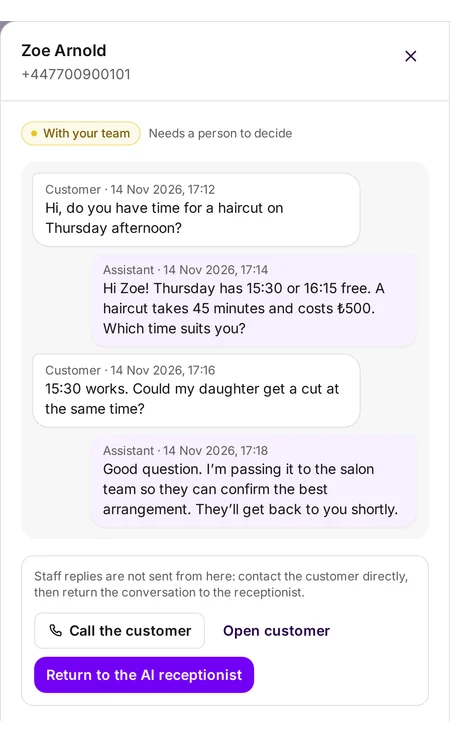
A customer asks for a time
The assistant replies with the times that are really free in your calendar, with the service’s length and price.
One platform to organise your working day
Organise appointments, keep up with customer messages and run your team’s work from one dashboard, instead of switching between several tools.
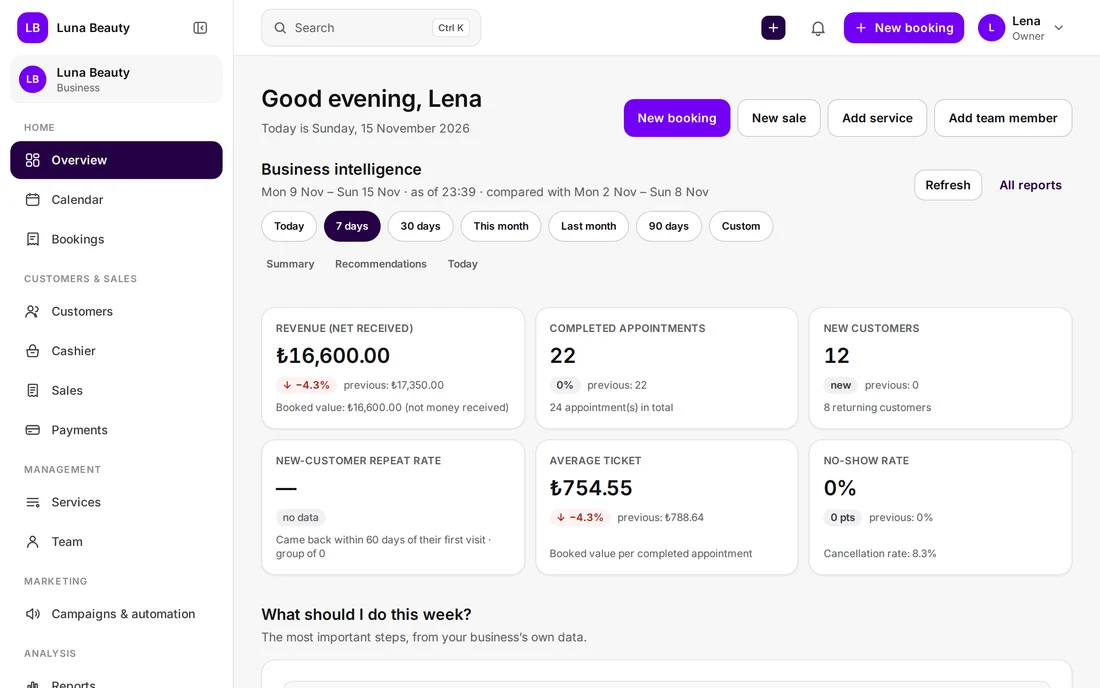
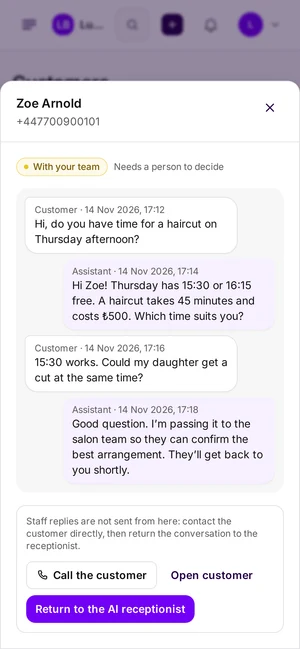
Real ZIRVEN screens. The business and customers shown are sample data.
The problem
Every minute lost between a notebook, WhatsApp and memory is a minute you don’t spend with your customers.
Appointments in a notebook, requests on WhatsApp, and nothing that brings them together.
A customer asks for a free slot while you are busy with someone else.
You can’t tell who on the team is free at four o’clock without asking.
The month ends and you don’t know exactly what came in, or which services sold best.
The solution
Calendar, customers, conversations and team are connected: every appointment knows its customer, service and team member.
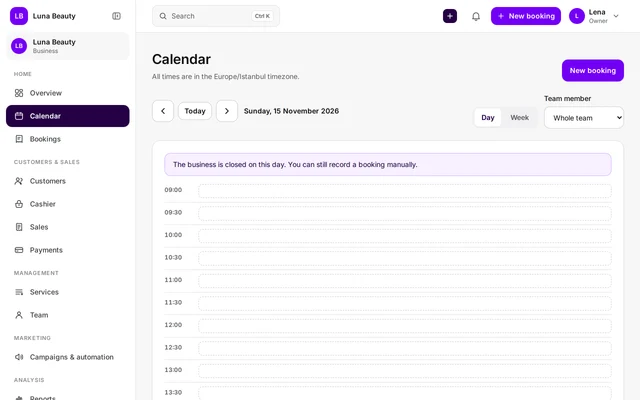
A daily and weekly calendar for each team member, with a clear status for every appointment.
Their visits, notes and payments in one record.
The assistant answers common WhatsApp questions and passes anything that needs your decision to your team.
Wherever a booking comes from, it lands in the same calendar
How it works
A customer’s message becomes an appointment in three steps. Real ZIRVEN screens with sample data.
Message arrives
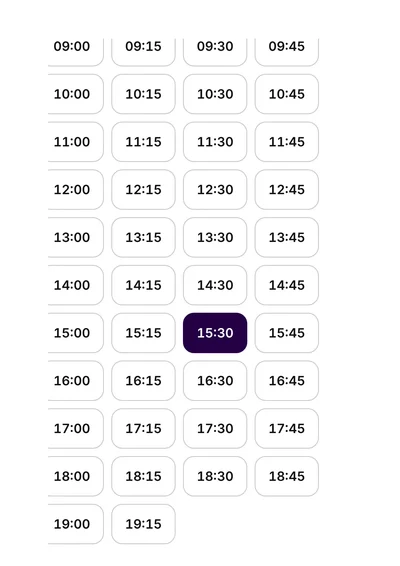
The assistant replies with the times that are really free in your calendar, with the service’s length and price.
Follow-up
Anything that needs your decision goes to your team. When they book, ZIRVEN suggests only free times and checks again before saving.
In the calendar
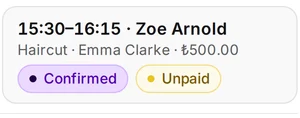
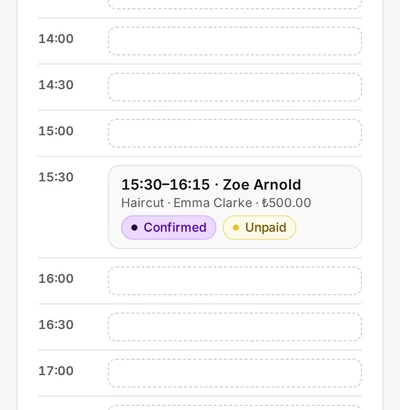
Once the booking is confirmed, it takes its place in the calendar with the customer, service, team member and price.
Letting the assistant create bookings itself is a setting you switch on: nothing is booked until the customer confirms, and you can keep the final approval with your team.
Features
No separate tool for each job around your appointments and messages.
Owner, manager, front desk and staff roles; everyone sees only what concerns them. A secure invitation for every member.
Length, price, preparation time and category, with each service’s name in three languages.
Record cash, card or bank transfer payments with tips, discounts and a receipt.
Your day’s, week’s and month’s numbers, with suggestions drawn from your own business data.
Confirmation, change and cancellation messages, with an optional reminder.
English, Turkish and Arabic, with Arabic right to left on every screen. The assistant replies in the customer’s language.
Who it’s for
You set your services, their length and prices, your team and its hours. These are just a few examples.
Hair salons, barbers, beauty centres, nail and skin care
Appointments per stylist, services with their duration and price, and several services on one receipt.
Dietitians, physiotherapy, dental and aesthetic clinics, counselling
A calendar per practitioner, client cards and payments. ZIRVEN is not a medical records system; it handles appointments and customers.
Studio sessions, passport photos, family and product photography
Durations per type of session, a calendar per photographer, payment records and each customer’s history.
Getting started
We don’t ask for card details. You send a request, the ZIRVEN team contacts you, and then your subscription is activated.
For businesses organizing their daily operations
₺1/ month
Included
For teams growing customer communication with WhatsApp
₺2/ month
Included
For businesses bringing AI into customer communication
₺3/ month
Included
FAQ
Can’t find your question? Write it in the request form and we’ll answer you directly.
If your work runs on appointments, services and customer conversations, most likely yes: you set the services, lengths, prices and team. Beauty and care businesses, clinics and photography studios are examples. Not sure? Tell us about your business in the subscription request.
Yes. You connect your business’s WhatsApp Business number. Message charges follow Meta’s terms.
If you switch it on. It suggests free times; no appointment is saved until the customer confirms, and if you prefer, your team approves it first. When it doesn’t know an answer it doesn’t make one up; it hands the conversation to your team.
No. You record the payments you take at your business; ZIRVEN does not process online payments.
Yes. You invite each member with a role; they set their own password through a single-use invitation link and see only the screens they are allowed to.
English, Turkish and Arabic. Arabic is shown right to left throughout, and the assistant replies in the language the customer writes in.
Send a subscription request, and the ZIRVEN team will contact you to prepare your account.